
The Truth About AI Handwriting Recognition in Government Records
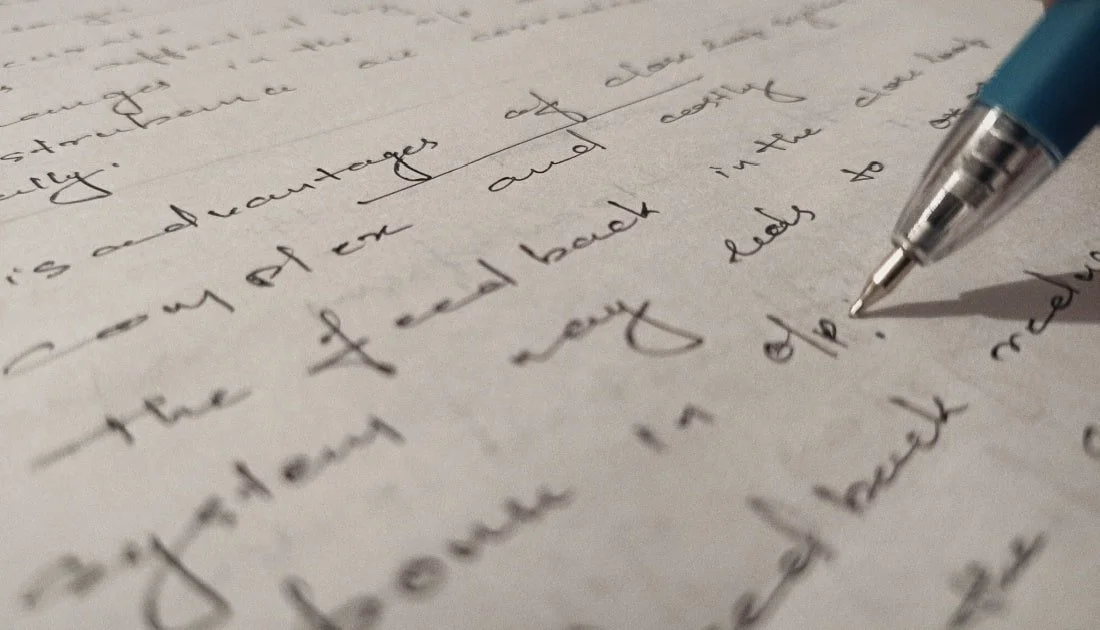
You’ve probably seen vendors promise “100% accurate” AI on historic handwriting. That claim doesn’t hold up in the real world. The results are closer to 95%, best case.
However, AI handwriting recognition does well for clean, modern writing. It stumbles once you add 19th-century cursive, fading ink, cramped margins, or busy layouts. Federal policy points to the same reality. The Federal Register says agencies aren’t required to run OCR during digitization because accuracy varies. AIMultiple reports that near-perfect OCR is achievable only under ideal print conditions. Many teams add OCR later for access and consistency. Microsoft’s guidance recommends using Word Error Rate and confidence thresholds to direct low-certainty fields to human review.
At Revolution Data Systems, we let AI do what it does best, and people cover the rest. We pair AI document transcription with human verification before any field lands in your system of record. A 95% accuracy rate sounds great, but one incorrect parcel ID or date can still compromise an audit and erode public trust.
Key Takeaways
AI handwriting recognition can read parts of neat, modern script, but it falters on older cursive, degraded pages, and dense layouts.
The Federal Register treats OCR as optional because accuracy still varies for authoritative records.
OCR vs. ICR accuracy at the “document level” can hide critical field errors.
Human validation is still required for names, dates, and locations tied to compliance.
AI speeds capture and triage. People certify truth.
RDS blends AI document transcription with confidence scoring and expert review to balance throughput with governance.
What Is AI Handwriting Recognition?
AI handwriting recognition interprets handwritten text inside images. Three related tools show up in the conversation, and each behaves differently:
OCR covers machine-printed text. It shines on clean forms and fonts and fails on cursive.
ICR extends OCR to neat block letters. It struggles with fluid script.
HTR uses deep learning on real handwriting lines. It performs best when trained on your collection. It drops when styles shift.
Marketing often blurs these lines. Strong OCR on print gets sold as handwriting AI. Ask for page-level samples and metrics, not averages.
Takeaway: OCR, ICR, and HTR each play a role. Only HTR tackles handwriting head-on, and results depend on how closely your pages match the training data.
Why AI Struggles With 19th-Century Documents
Historical record books stack the hardest problems at once. Nonstandard letterforms appear everywhere, including long s, ligatures, and elaborate capitals. Degradation brings ink bleed, foxing, fading, and torn edges. Layouts often include stamps, seals, marginal notes, and cross-writing that can confuse the reading order. Domain language includes Latin, legal phrasing, and metes and bounds that most corpora don’t cover. Labeled training data for these scripts is scarce, which exacerbates drift and bias.
Studies back this up. An HTR survey on arXiv and an HTR performance study show accuracy falls as style or image quality shifts. Real collections add more curveballs: land deeds mix ornate script with boundary language, court minutes switch hands mid-page, registries pack tight tables and abbreviations like Elizth, and census logs blend columns, numbers, and uneven penmanship.
Takeaway: Historic handwriting is diverse and contextual. AI can carry the first pass. Humans protect reliability.
OCR vs. ICR vs. HTR: What Accuracy Really Means
Accuracy depends on the page in front of you. A clean printed form reads well. A faded page full of ornate cursive doesn’t. Treat accuracy as a range you measure and manage, not a promise you set once and forget.
OCR: Excellent on clean print and structured forms, poor on handwriting.
ICR: Decent on neat block letters, weak on cursive or stylized hands.
HTR: Strong when trained on your pages, weaker with new styles, rough scans, or complex layouts.
Use Word Error Rate or Character Error Rate, not vague claims—set thresholds at the field and document level. Route anything below the line to a reviewer. Don’t hide behind 95% “document accuracy.” One wrong parcel ID can break a case file and an audit.
Takeaway: Accuracy lives on a continuum. Thresholds, routing, and human checks protect high-risk fields.
AI Needs Human Verification
AI is a strong assistant. It’s not the final authority. It speeds intake, highlights probable matches, and sorts work. It doesn’t certify the record. Programs that scale pair confidence scoring with human review for uncertain outputs. That blend gives you speed and accountability.
Capture quality matters as much as the model. The FADGI guidelines set standards for faithful capture and quality control. Human factors matter too. CSET’s work on automation bias explains why reviewers shouldn’t over-trust model output.
Takeaway: Use AI where it helps most, and apply human verification where it matters most.
The RDS Validation Loop
Here’s how we keep projects moving while we protect accuracy:
Prep and imaging: Scan to FADGI standards. De-skew, balance color, reduce noise, and log settings for traceability.
Model pass: Run OCR or HTR, extract text, and record confidence scores. Track WER and CER.
Triage: Route low-confidence fields to specialists with fixed thresholds at the field and document level.
Dual checks for critical data: Apply two reviewers to names, dates, parcel IDs, and case numbers to counter automation bias.
Exceptions: Document unreadable or ambiguous text and escalate when needed.
Packaging: Export to ECM or records systems with metadata, version history, and a full chain of custody.
This loop scales to large collections. AI raises throughput while reviewers focus on high-risk fields, so you receive speed you can stand behind.
Takeaway: People close the last mile. Results stand up to audits and public scrutiny.
How to Digitize Handwritten Documents Accurately
Build a process you can prove from scan to export:
Capture color images at 300–600 dpi and keep imaging logs.
Normalize each image by de-skewing, dewarping, and adjusting contrast before extraction.
Use an HTR tuned to your script or region, rather than a single generic model.
Set confidence thresholds for pass or review at both the field and document level.
Keep correction logs that record decisions and edits.
Store content in open formats, such as PDF/A, with ALTO XML or JSON text layers.
Audit accuracy at the field level and match targets to record sensitivity.
These steps align with FADGI. For policy and control, review the OMB fact sheet and AIIM.
Takeaway: Control inputs, track decisions, and document outcomes. That’s how you deliver accuracy you can prove.
What Accuracy Should You Promise Stakeholders?
Accuracy in government digitization isn’t a single number. It’s a policy and a set of controls. Set expectations by collection type. Historical deeds and registries require a near-complete review. Modern forms can allow more straight-through passes. Define thresholds by risk, not marketing. Report process metrics that show routing rules, reviewer actions, and exception counts. Be clear about what the machine did and what a human checked—the OMB guidance and AIIM point toward oversight and accountability.
Takeaway: Accuracy is proof, not a percentage. Show your method, not a guess.
Modernize Responsibly With Accuracy That Stands Up to Audit
AI in record digitization is changing how agencies process handwritten records. Progress without governance adds risk. The smart path utilizes automated handwriting recognition to enhance throughput and human review to ensure accuracy and protect the truth. RDS delivers that balance with AI document transcription, confidence scoring, and expert validation. We help public institutions meet mandates, protect trust, and safeguard the details that matter.
Ready to move forward with a process you can prove? Contact Revolution Data Systems to build a program that blends automation with accountability.
Frequently Asked Questions
-
AI handwriting recognition uses machine learning to read handwritten text in images. Modern HTR models learn from labeled lines and words. Results improve when the model trains on your collection. Human review still confirms final accuracy.
-
Accuracy depends on script, page quality, and layout. Clean modern script reads better than ornate 19th-century cursive or faded pages. For government archives, use human-in-the-loop review to keep results legal, searchable, and compliant.
-
Human validation catches low-confidence fields and prevents silent errors from entering systems. It adds a documented audit trail. People confirm what AI predicts.
-
No. AI can index, triage, and extract. It cannot certify authenticity or legal accuracy on its own. Oversight and documented controls remain required for high-risk or authoritative data.
-
Capture at archival resolution, tune HTR to your collection, set confidence thresholds, and route uncertain fields to reviewers. Keep correction logs and export to open formats. This mix pairs speed with proof.