Is PDF Accessibility a One-Time Cleanup or an Ongoing Process?
In short
- PDF accessibility works best as an ongoing process built into how documents get published, paired with a separate, bounded project to clear the existing backlog of inaccessible files.
- A one-time cleanup fixes the PDFs that exist today, but new agendas, budgets, forms, and reports keep arriving inaccessible unless the publishing routine changes too.
- Accessibility on Demand (AoD) remediates the source PDF itself, so the organization owns the accessible file outright, with no overlay or subscription needed to keep it accessible.
- Automated remediation through AoD at Level 2 costs $1.80 per page, fillable forms included, compared with $8 to $25 per page for manual remediation of standard documents.
- A practical first step is to choose the highest-volume recurring documents, such as meeting packets or monthly reports, and make remediation a routine step before they are posted.
PDF accessibility often shows up first as a pile. Someone runs a scan of the website, finds thousands of PDFs, and the question becomes how to fix them all. That is a reasonable place to start, and the backlog does need attention. But the pile is only half the picture.
Every week, the same organization publishes new documents. If those documents are produced the same way they always have been, the pile starts growing again the day the cleanup ends.
Why a one-time cleanup does not stay finished
A cleanup project treats accessibility as a queue. Documents go in, remediated documents come out, and the project ends when the queue is empty.
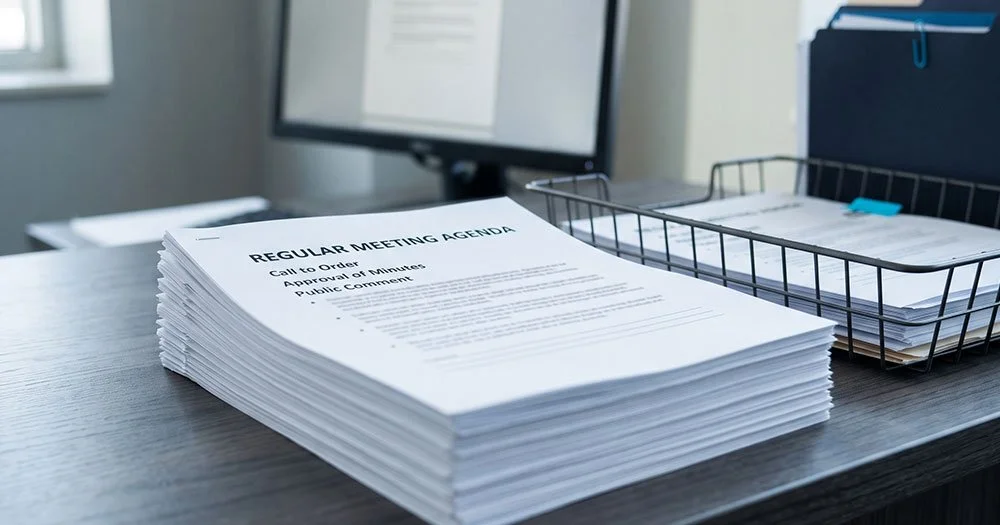
The trouble is that the documents never stop. A city clerk posts an agenda packet before every council meeting. The finance office publishes monthly reports and budget amendments. The planning department revises its permit applications. A school district adds board packets, enrollment forms, and handbook updates throughout the year.
For an IT director, the pattern is familiar. An empty queue is a moment, not a state. Without a change upstream, the next batch of inaccessible files is already forming.
What it looks like to treat accessibility as an ongoing process
Fix documents before they are published
In an ongoing model, remediation becomes a normal step in the publishing routine, the same way staff proofread an agenda before it goes on the website. The document goes out accessible the first time, and nobody has to circle back to it later.
Plan for it in the budget
A cleanup is usually funded as a one-time expense. An ongoing process is easier to manage as a standing line item. AoD credits never expire, so an organization can set a budget, buy credits against it, and draw them down as new documents are published.
Measure the right thing
The count of remediated documents tells you how busy the project was. The better questions are whether new inaccessible documents are still being posted, and whether the backlog is shrinking over time.
Checker scores need context too. Different accessibility checkers can score the same document very differently. A score below 100 percent does not by itself mean a document failed, and a passing score does not by itself prove the document works for someone using a screen reader.
Decide who owns each part
IT manages the systems that produce and host documents. Communications staff, clerks, and department heads create the content. Records custodians manage what is kept and for how long. An ongoing process works when each group knows its part.
Where automation fits
Accessibility tagging is rules-based and repeats across thousands of pages, which is why AI is the right tool for it. AoD describes its platform this way: "AoD™ applies 100% automation to PDF remediation process, with over 95% of checks receiving a passing result against WCAG 2.1 Level AA and PDF/UA criteria when evaluated using third-party validation tools such as axes4 PAC." AoD also describes the platform as reducing "processing time by 10X."
Cost matters as much as speed. Manual remediation runs $8 to $25 per page for standard documents and $50 to $100 per page for fillable forms. AoD at Level 2 is $1.80 per page, and Level 2 now covers fillable forms.
Automation does not replace in-house expertise. It clears the volume, so the staff who know accessibility can spend their time on the documents that need a person's judgment.
AoD also has an API that can connect remediation to an organization's document systems. That is an integration project rather than a switch to flip, so an organization can begin by submitting documents as part of its publishing routine and consider integration later.
Where to start
- List the document types your organization publishes most often, such as meeting packets, monthly reports, and common forms.
- Make remediation a required step before those documents are posted.
- Run the existing backlog as a separate project with a defined scope, starting with the documents the public uses most.
- Agree on how you will measure progress, beyond checker scores alone.
How the current deadlines fit
The Department of Justice published an interim final rule on April 20, 2026 that extended the ADA Title II compliance dates. Under the current deadlines, public entities serving populations of 50,000 or more have until April 26, 2027, and entities serving populations under 50,000, plus special districts, have until April 26, 2028. Covered web content and mobile applications must meet WCAG 2.1 AA.
These dates could still change. The rule's comment period closed June 22, 2026, the DOJ has signaled possible further rulemaking on the substantive requirements, and there is ongoing litigation involving disability advocacy groups. Talk with your counsel about how the rule applies to your organization.
Frequently asked questions
Do we still need to fix our existing PDFs if we change how new documents are published?
Yes, changing the publishing routine keeps new documents accessible, but it does nothing for PDFs already posted. The full picture needs two tracks: an ongoing step for new documents and a separate, bounded project for the backlog. Starting with the documents the public uses most keeps the backlog project manageable.
How much does automated PDF remediation cost compared with manual remediation?
Automated remediation through AoD at Level 2 costs $1.80 per page, compared with $8 to $25 per page for manual remediation of standard documents. The gap is wider for fillable forms, which run $50 to $100 per page manually. AoD Level 2 now includes fillable forms at the same $1.80 per page.
What counts as an accessible PDF if checker scores vary?
An accessible PDF is one a person using assistive technology can read and navigate, with correct tags, reading order, and meaningful alt text. Checker scores help, but different checkers score the same file differently. A score under 100 percent is not automatically a failure, and a passing score is not automatic proof.
Who is responsible for PDF accessibility under ADA Title II?
The public entity itself is responsible, whether it provides content directly or through contractual licensing with vendors. A vendor can remediate documents, but the obligation stays with the city, county, school district, or agency. Inside the organization, IT, communications, clerks, and department heads usually each own a piece of the work.
Do remediated PDFs stay accessible if we stop using the service?
Yes, because AoD remediates the source PDF rather than adding an overlay on top of it. The organization keeps the corrected file and owns it outright. No subscription, script, or plugin is needed for the document to remain accessible when it is downloaded, printed, emailed, or posted again.
Where should a small town or school district start with PDF accessibility?
Start with the documents published most often, such as meeting agendas, board packets, and common forms. Making those accessible before they are posted stops the backlog from growing. Then look at the existing inventory and prioritize the documents residents and families use most, rather than trying to fix everything at once.
Request a free assessment of two to four of your documents, and see where they stand today.