Not All Records Belong in Your System: How to Decide What to Integrate vs. Archive
Somewhere along the way, county offices started treating integration as the default. Digitize a record, put it in the system—every record, every time. Software vendors have been happy to encourage that assumption, since more data in their platform means more licenses, more modules, and more leverage at renewal.
The problem: a lot of those records don't belong in your core system. They belong in an archive. The difference matters—not as a technical distinction, but as a budget and infrastructure decision that affects what your office pays every year.
Understanding the government records system vs. archive question isn't about choosing between two technologies. It's about matching each record to the right home based on one factor: how often it actually gets used. This guide gives you a practical framework for making that call, and if you're still in the early stages of a first infrastructure review, it pairs well with the broader assessment work that should come first.
Do All Government Records Need to Be in One System?
Only records that support daily operations and frequent access should live in a core system—the primary platform your office uses for day-to-day transactions, searches, and public access.
Many offices, and the vendors serving them, operate under the assumption that integration is always the goal. It isn't. Integration carries real costs: setup fees, ongoing licensing, storage volume charges, and maintenance overhead that scales with the amount of data you push in. None of that is justified for records that almost nobody retrieves.
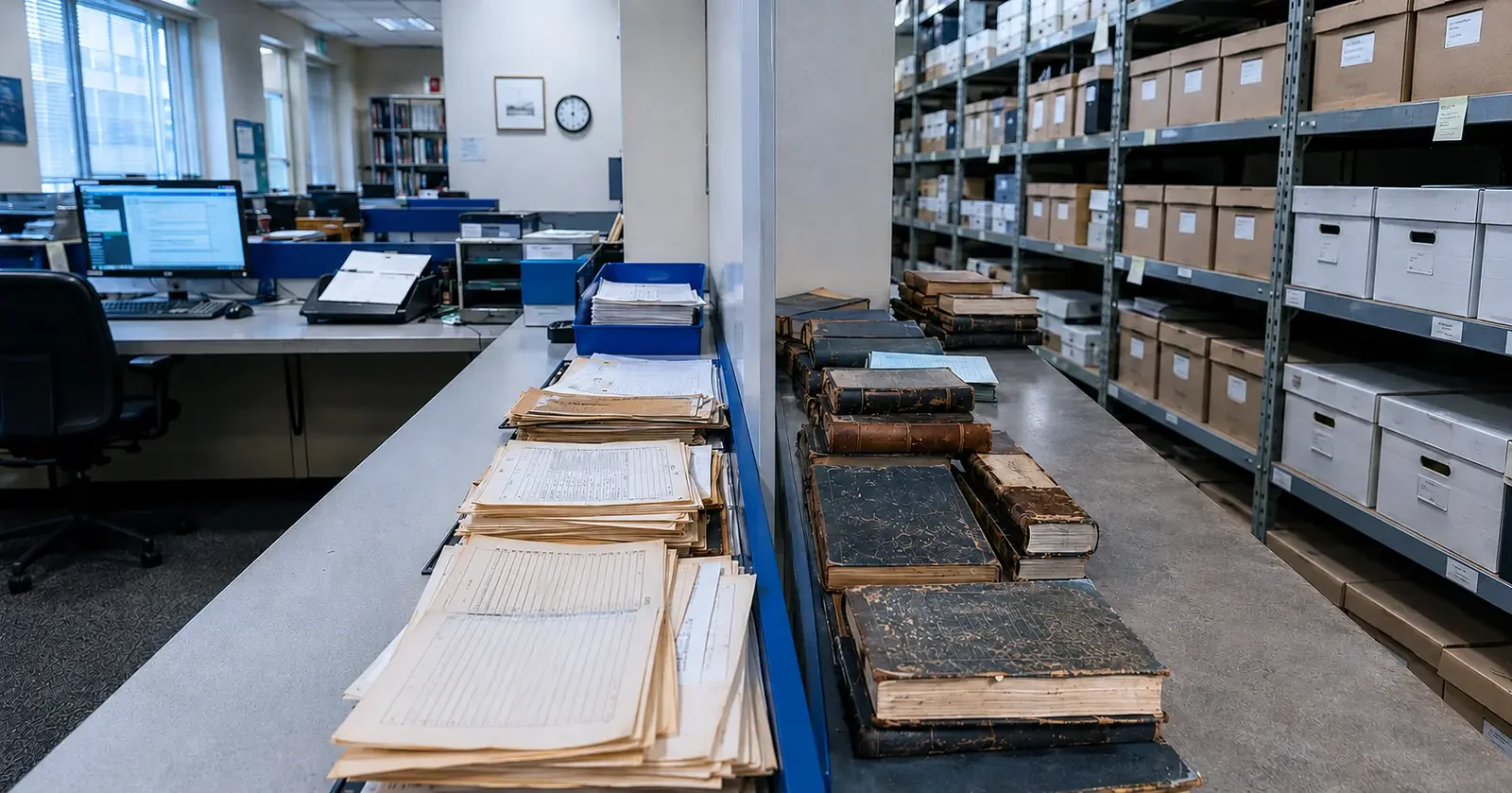
The contrast is straightforward. Land records accessed daily by staff, attorneys, and title companies belong in your core system. Retrieval speed matters, and those records are part of live workflows. Court records from the 1920s don't need that treatment. They need to be preserved and findable, but they're not running transactions.
Record usage frequency is the primary decision filter. Not what's technically possible. Not what a vendor recommends. How often is this record actually accessed, and for what purpose?
How Do You Determine Whether a Record Should Be Integrated or Archived?
The core records access vs. storage decisions question comes down to two things: access frequency and operational purpose.
Run every record type through this two-question test before committing to integration:
How frequently is this record accessed? (Daily, monthly, rarely, almost never)
Who needs it, and how fast? (Staff during active transactions, researchers, compliance review, or almost no one)
Records used for compliance rather than operations are ideal archival candidates. They need to be preserved and accessible, but they have no business being woven into transactional workflows. Probate records, historical court filings, and legacy deed books often land in a gray zone. The usage test cuts through that ambiguity. If no one on your staff has needed that record in the past six months, it's not a core system record.
This is the foundation of any sound records system integration strategy: integration should be deliberate and usage-driven, not a default applied to everything that gets scanned.
Where Should This Record Live?
Send to core system if:
Staff access it daily
It's required for active transactions
It's a frequently requested public record (current deeds, active filings)
It's tied to ongoing title research or legal workflows
Retrieval speed directly affects operations or public service
Store in the archival platform if:
It's accessed rarely or only for compliance review
It's a historical document with no role in daily operations (probate records, for example)
It's been scanned but serves no transactional purpose
It's a large-volume backfile where the goal is preservation and occasional access
A software vendor would charge significant integration fees for records retrieved twice a year
Is It More Cost-Effective to Store Some Records Separately?
Yes—often significantly so. This is where government records storage solutions decisions have a direct line to the budget.
The scenario plays out the same way across county offices: a batch of historical records gets flagged for digitization. The software vendor quotes a build fee to integrate them into the core system, sometimes tens of thousands of dollars for a custom module. A purpose-built archival platform handles the same records for a fraction of that annually. And those records get accessed maybe a handful of times a year.
That's not a cost-benefit trade-off. It's a question of whether the integration makes any sense at all.
The Hidden Costs of Over-Integration
The hidden costs of over-integration add up fast: storage volume fees within core systems, maintenance complexity, vendor lock-in that inflates renewal pricing, and staff time managing data that rarely moves. Frame it around return on access: if a record is retrieved twice a year, does it justify a custom integration module? It almost never does.
Long-term records storage solutions like Cyclone, RDS's digital preservation platform, are built for exactly this scenario. Records are preserved, searchable, and accessible without requiring full core system integration. That's not a compromise—it's the right tool for the job.
What Types of Records Should Not Be Integrated Into Core Systems?
Records that are historical, low-use, or kept for compliance rather than operations have no place in daily transaction workflows.
The record types most commonly over-integrated in county offices include:
Historical court records, especially pre-digital era filings
Probate files not tied to active cases
Old meeting minutes and board resolutions
Microfilm conversions of records rarely accessed after digitization
Why These Records End Up in Core Systems Anyway
These end up in core systems for a few reasons: a preference for "one system," and the assumption that digitization always means integration. None of those are good operational reasons.
These records still need to be digitized, indexed, and preserved, but that part of the work doesn't change. They just don't need to run inside a transactional workflow system. Understanding government records lifecycle management helps here: every record has an active phase, an occasional-reference phase, and a long-term retention phase. The storage solution should match the current phase. Putting a 1930s deed book in the same system you use for today's land recordings isn't records system optimization. It's paying integration costs for data that's already fulfilled its operational life. For offices working through protecting at-risk historical materials inherited from prior administrations, the same principle applies: preservation is the goal, not integration.
If you're currently working through what to prioritize for scanning, this guide on what new recorders should digitize first walks through a useful sequencing approach.
Can Archived Records Still Be Accessed When Needed?
Yes. Archival storage for public records is not a dead end—it's a different access model, and it's important to understand the distinction before dismissing it.
Core system access is real-time, transactional, and built for high-frequency retrieval. Archival access is on-demand, searchable, and reliable, but not engineered for daily volume. The difference is one of infrastructure design, not capability. A well-structured archival platform still lets staff find and retrieve records. It simply doesn't carry the overhead of full system integration.
This is what makes a sound digital records access strategy practical for county offices. You don't have to choose between "fully integrated" and "impossible to find." The middle path, purpose-built archival storage with solid indexing and search, handles the vast majority of historical record retrieval needs without the cost structure of core system integration.
Cyclone and RDS's broader records management services support this model: on-demand retrieval without the integration complexity that the usage volume doesn't justify.
What’s the Risk of Putting Too Much Data Into One System?
Over-integration creates complexity, increased costs, and performance risks. It's one of the more persistent problems in public-sector data architecture, and it usually develops gradually, record type by record type, until the system is carrying far more than it was designed to handle.
The specific risks:
Vendor dependency: More records in a proprietary system mean more leverage for that vendor at renewal. Switching costs increase with each record type you integrate.
Cost creep: Storage, licensing, and maintenance fees scale with volume. Records that generate no value still generate cost.
Performance drag: Core systems loaded with infrequently accessed records can slow the retrieval of the records staff actually need on a daily basis.
Migration complexity: When the office eventually changes platforms (and they always do), a bloated integration creates a larger, more expensive data migration.
The government data management approach that holds up over time is selective integration, purposeful and usage-driven, paired with a reliable archival platform for everything else. A lean core system isn't a budget compromise. It's a smarter infrastructure decision.
For offices navigating this alongside broader modernization priorities, this overview of improving access and efficiency in year one offers a useful operational frame.
Build a Smarter Records Infrastructure
Revolution Data Systems (RDS) works with county offices before they commit to integration, assessing records, evaluating usage patterns, and recommending the right storage solution for each record type. That means fewer expensive integration builds for records that don't warrant them and a clear path for preserving historical and compliance records without adding unnecessary cost and complexity to the core system.
Cyclone handles the archival side: digital preservation with searchable access, built for the records that need long-term storage without transactional overhead. RDS's records management services cover the broader workflow, from document scanning and indexing through to the infrastructure decisions that determine where digitized records actually live. If budget is a constraint, records management grant funding through programs like LGRMIF can offset the cost of digitization and preservation projects.
If your office is working through a records review, a backfile project, or a platform decision, start with a conversation about usage—not integration. Contact RDS to build a smarter records strategy.
Frequently Asked Questions
Do all government records need to be stored in the same system?
No. Not all government records need to be in the same system. Records used in daily operations and active transactions belong in a core system. Historical, low-use, or compliance-only records are better suited to archival storage—a secure, searchable platform that preserves records and provides on-demand access without core system integration costs.
What types of records should not be integrated into core systems?
Records that are historical, rarely accessed, or kept for compliance rather than operations should not be integrated into core systems. Common examples include pre-digital court records, inactive probate files, legacy deed books, old meeting minutes, and microfilm conversions of records with little ongoing demand. These still need to be digitized and preserved—just not integrated.
Is it more cost-effective to store some records separately?
Yes—often significantly so. Core system integration carries setup fees, licensing, storage volume charges, and ongoing maintenance. For records accessed only a few times a year, those costs are rarely justified. Purpose-built archival platforms handle long-term preservation and occasional retrieval at a fraction of the cost of a full integration build.
How do I determine if a record is high-use or low-use?
Ask two questions: how often is this record accessed, and who needs it during active transactions? Records retrieved daily by staff or the public for live workflows are high-use. Records pulled occasionally for compliance review, research, or historical reference are low-use. If no one on your staff has needed a record in months, it may be a candidate for archiving.
Can archived records still be accessed when needed?
Yes. Archival storage is not a dead end—it's a different access model. A well-structured archival platform provides searchable, on-demand retrieval. It's not built for daily transaction volume, but it handles historical and compliance-record requests reliably. Staff can still find and pull what they need; the infrastructure is simply scaled to match actual usage.
What is the risk of putting too much data into one system?
Over-integration creates vendor dependency, cost creep, performance drag, and migration complexity. The more records in a proprietary core system, the higher the switching cost and the larger any future data migration. Core systems loaded with infrequently accessed records also slow retrieval for the records staff need most. Selective integration—paired with archival storage for low-use records—keeps the system lean and manageable.